Private money manager
Expense tracker for iPhone.
Know where your money goes and what’s due next. Track spending, budgets, bills, and net worth in one app without linking a bank.
Free to download · No subscription required
Why choose Penny?
- Works offlineLog expenses and check budgets even without a connection.
- No bank loginKeep records on your device and export them whenever you want.
- No subscription requiredDownload for free, with optional in-app purchases.
Inside Penny
What you can do with Penny
Start with daily spending, then plan ahead for bills, savings goals, and investments.
01 / Spending
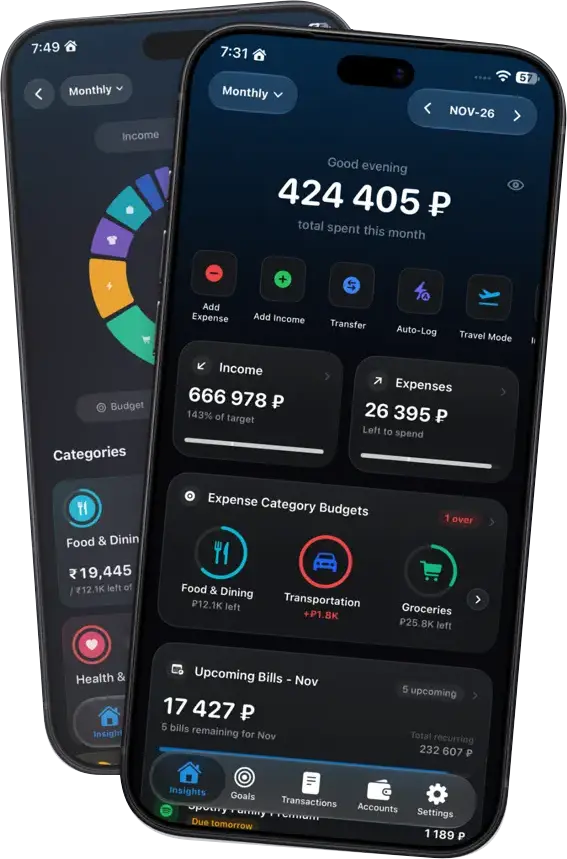
Track daily expenses
Log a purchase with a quick keypad, category icons, or the built-in calculator. Dictate an entry when your hands are full, and attach a receipt photo when you need a record.
- Split expenses. Track who paid and who owes across shared accounts, even in different currencies.
- Bring your history. Import PDF, CSV, or Excel statements instead of re-entering old transactions.
- Automate logging. Set up Auto-Log with Apple Wallet, bank SMS alerts, and Siri Shortcuts.
02 / Planning
Set category budgets
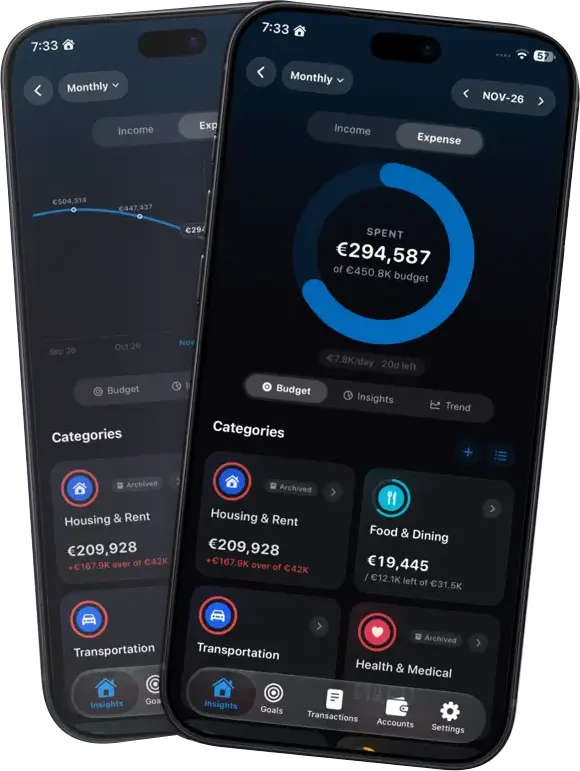
Give groceries, dining out, or any custom category a monthly or yearly limit.
- See what’s left. Apple Activity-style rings update as you log spending. Color-coded pacing alerts flag when you’re spending faster than planned.
- Save toward a goal. Track progress for a trip, an emergency fund, or another savings target.
03 / Due dates
Track bills and subscriptions
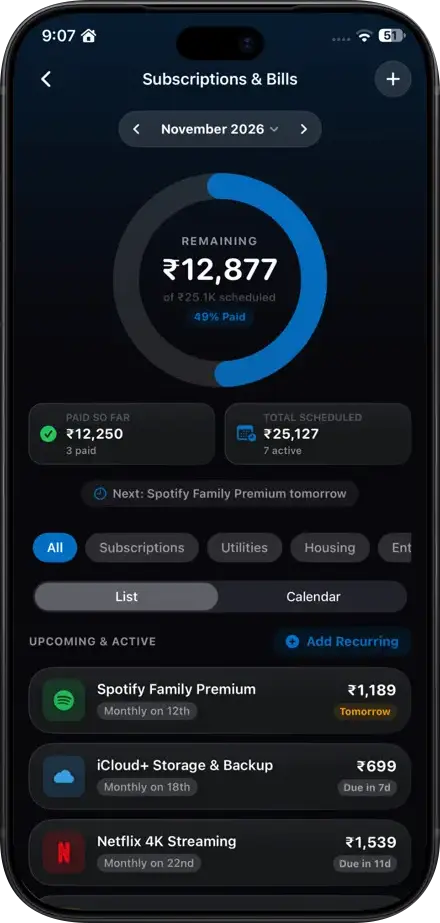
See what renews next and how much you still owe this month.
- Plan ahead. Browse bills month by month, check the Runway Ring for what’s left to pay, and use countdowns to see what’s due soon.
- Handle different schedules. Track weekly, every-other-week, monthly, and annual payments together.
04 / Accounts
See your net worth
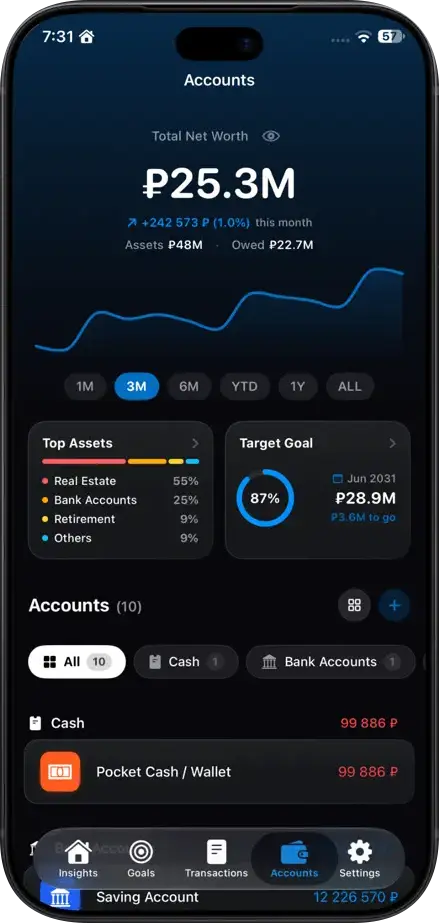
Keep cash, savings, bank accounts, credit cards, loans, and real estate in one view.
- Follow your progress. See what you own minus what you owe and how your mix of assets changes over time.
- Compare payoff plans. Model loan payoffs, mortgage amortization, and monthly credit card installments.
05 / Investing
Track stocks and crypto
- Track multiple portfolios. See holdings, purchase lots, average cost, and unrealized gains.
- Compare performance. Explore interactive charts and see how returns compare with a benchmark.
06 / Designed for iPhone
iPhone widgets and Ask Money
- Check at a glance. Put spending and budget updates on your Home Screen or Lock Screen.
- Ask about your spending. On devices that support Apple Intelligence, ask things like “What did I spend on groceries last month?”
Inside the app, Penny uses frosted glass styling and native iOS haptics.
07 / Private by design
Your financial data stays yours
Penny stores your records on your device by default. There’s no bank login, no usage tracking, and no selling your financial data.
Read the privacy policy- Offline by default
- Log expenses and review your spending and budgets without an internet connection.
- Lock it with Face ID
- Turn on the optional app lock with Face ID or a passcode.
- Take your data with you
- Export your records as CSV or save a JSON backup. If you choose iCloud backup, it stays in your own Apple account.
Do I have to connect my bank?
No. You can log expenses and track balances yourself. Penny doesn’t require your bank credentials.
Can I use Penny without internet?
Yes. You can log transactions, review budgets, and check your spending offline.
Do I need a subscription to use Penny?
No. Penny is free to download and doesn’t require a subscription. See the App Store listing for optional in-app purchases.
What version of iOS do I need?
Penny is designed for iPhone and requires iOS 18.6 or later.

Start with today’s spending.
Download Penny and log your first expense.